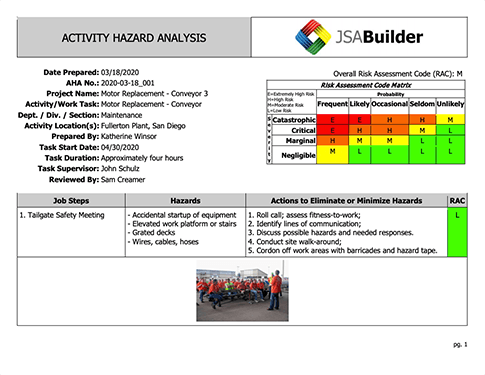
Welcome to the world of JSAs! JSABuilder was designed with YOU in mind, to be as user friendly as possible, so that whether you are new to JSAs or are a seasoned expert, whether you are super tech savvy or feel intimidated by software programs, you can simply and logically create useful and accurate Job Safety Analyses.
JSABuilder walks you through the process of developing your JSAs. First, you will be prompted to enter some general information about the task to be performed and who will be performing it. Next, you will be prompted to think of as many potential hazards associated with that job as possible. JSABuilder provides several lists of hazards to guide your thought process; you can select any of these hazards, and also add in your own, if you think of things that are not on the list. Once you've brainstormed as many hazards as you can think of that are relevant to your job, you will be prompted to consider possible measures to mitigate or "control" those hazards. These include administrative controls, engineering controls, training, personal protective equipment (PPE), and permits. If you can't find what you're looking for in the JSABuilder option list, you can add in your own as well.
The next step in the JSA process is probably the most time consuming: detailing out the actual steps required to complete the job. JSABuilder's job description process allows you to create as many job steps as you need, from setting out gear or driving to the site, to wrapping up and demobilizing home at the end. JSABuilder also gives you the option of adding up to three photos per job step, allowing you to illustrate pertinent information for that job step, whether that's proper ergonomics, gear layout, or a close-up of a potential hazard.
With each job step, you will be able to identify which hazards and controls from your brainstormed lists apply. If you think of a new hazard or control, no problem! Just save your work, and go back to your brainstormed list to add it. Then reopen your job step and add it to the job step. Multiple job steps can include the same hazards. If you realize you forgot a step, you can easily add the new step and click and drag to rearrange those steps, to ensure everything is in order. Once you feel confident you have considered all possible hazards and job steps, click the "finish" button! Your JSA will be saved to your account and can also be downloaded to your computer and printed for use on the job.